
QUESTION
How to access the local storage (SD card) of the camera via FTP URL?
How to download all files from local storage?
How to download all files from local storage?
ANSWER
Introduction
Normally, if you wish to view all files on local storage (SD or MicroSD card), you need to download each one at a time. VIVOTEK provides a simple way to batch download all the files at once instead.
How to download
0. If the camera's firmware is 0103x or above, please "enable FTP server" before connecting it.1. Access the storage device over FTP
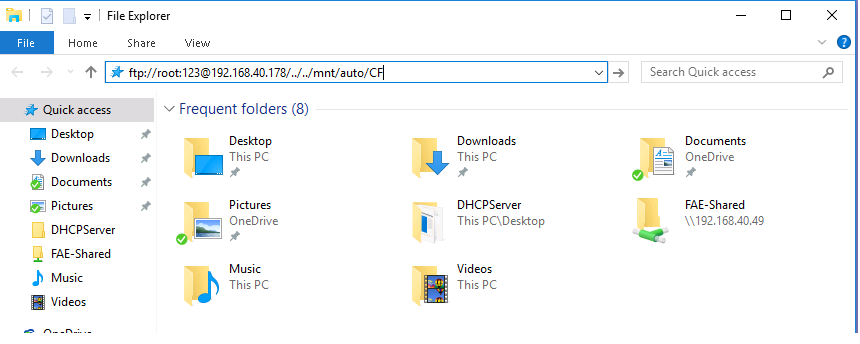
Enter the following text in the URL field of the Windows Explorer (also called File Explorer):
ftp://root:{The_password_of_camera}@{IP_address_of_your_camera}/../../mnt/auto/CF
Note that for security reasons, only the root account can access the files via FTP.
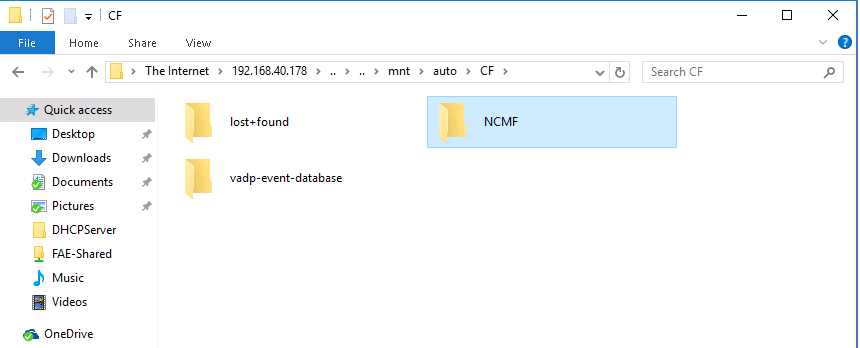
You will see a folder called "NCMF".
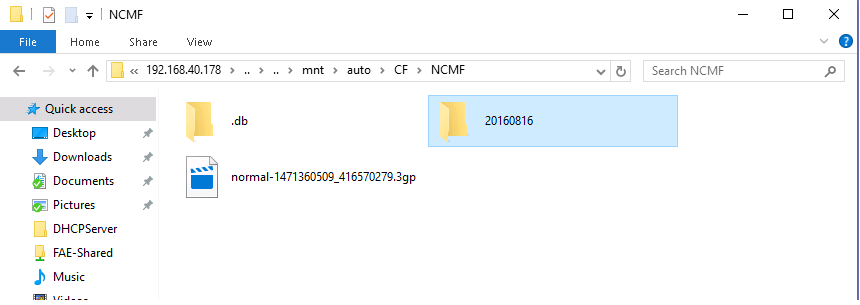
Double-click to open it and locate the folder labeled with the recording date of the videos you want to view.
Enter the following text in the URL field of the Windows Explorer (also called File Explorer):
ftp://root:{The_password_of_camera}@{IP_address_of_your_camera}/../../mnt/auto/CF
Note that for security reasons, only the root account can access the files via FTP.
You will see a folder called "NCMF".
Double-click to open it and locate the folder labeled with the recording date of the videos you want to view.
2. Download
Select the folder and use copy/paste to download it along with the files it contains via FTP.
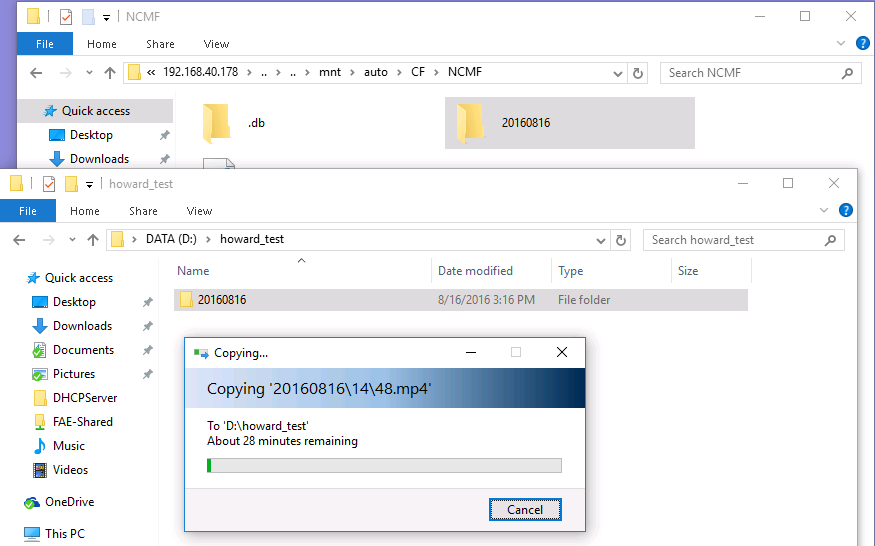
Select the folder and use copy/paste to download it along with the files it contains via FTP.
Comments
0 comments
Article is closed for comments.