
Description
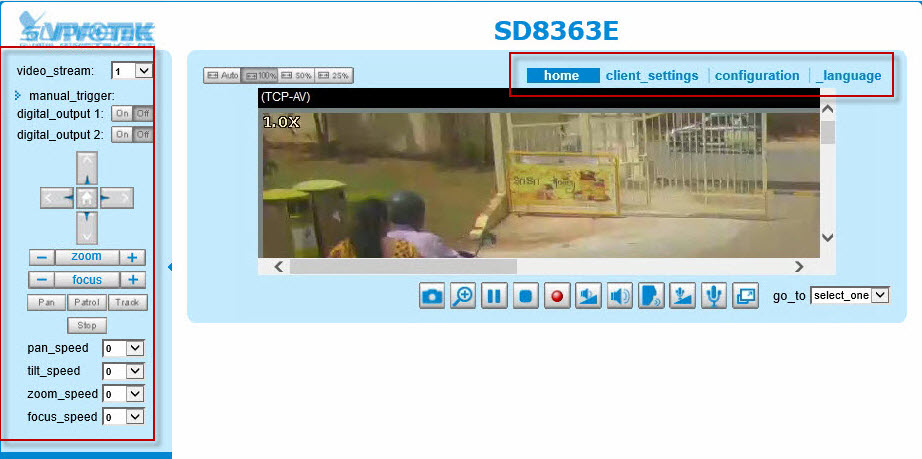
SD8363E web UI is abnormal, as shown below:
Root Cause
The reason is that the IP address of SD8363E is the same as previous camera and the cache in IE browser isn't renewed.
Hence, the web page is abnormal.
Hence, the web page is abnormal.
Solution
Please follow below steps:
Step1. Press "F12" and clear all network cache on camera web page, as shown below.
Step2. Clear all cookie and session, as shown below.
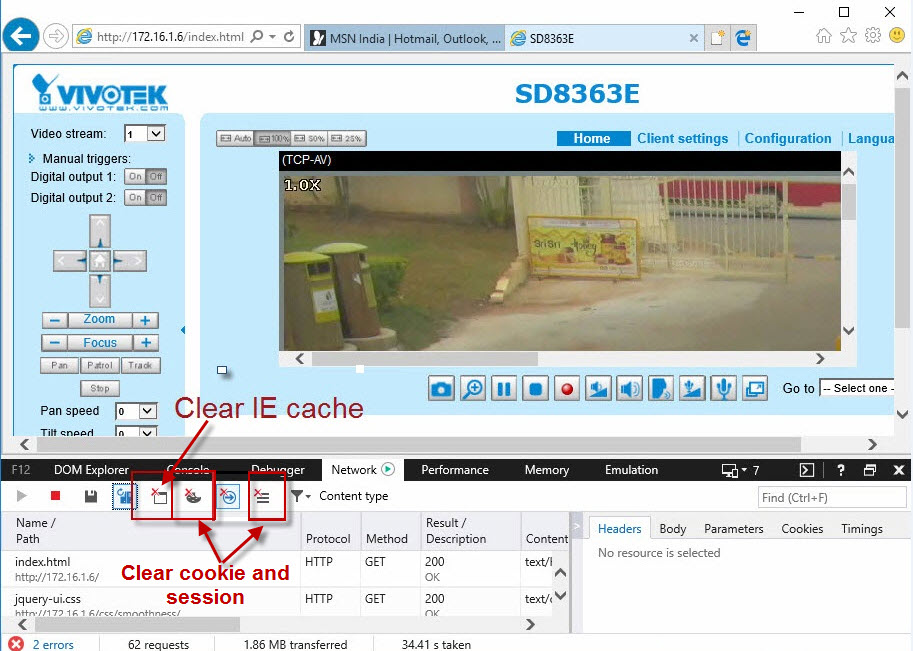
Step3. Press "F5" to refresh the camera web page.
Step4. Reopen IE browser.
Step1. Press "F12" and clear all network cache on camera web page, as shown below.
Step2. Clear all cookie and session, as shown below.
Step3. Press "F5" to refresh the camera web page.
Step4. Reopen IE browser.
Comments
0 comments
Article is closed for comments.